Built by @jesseduffield on GitHub. This page was written by @iluxav from public sources, last updated for v0.25.2 (2026-04-19), and may lag behind new releases.
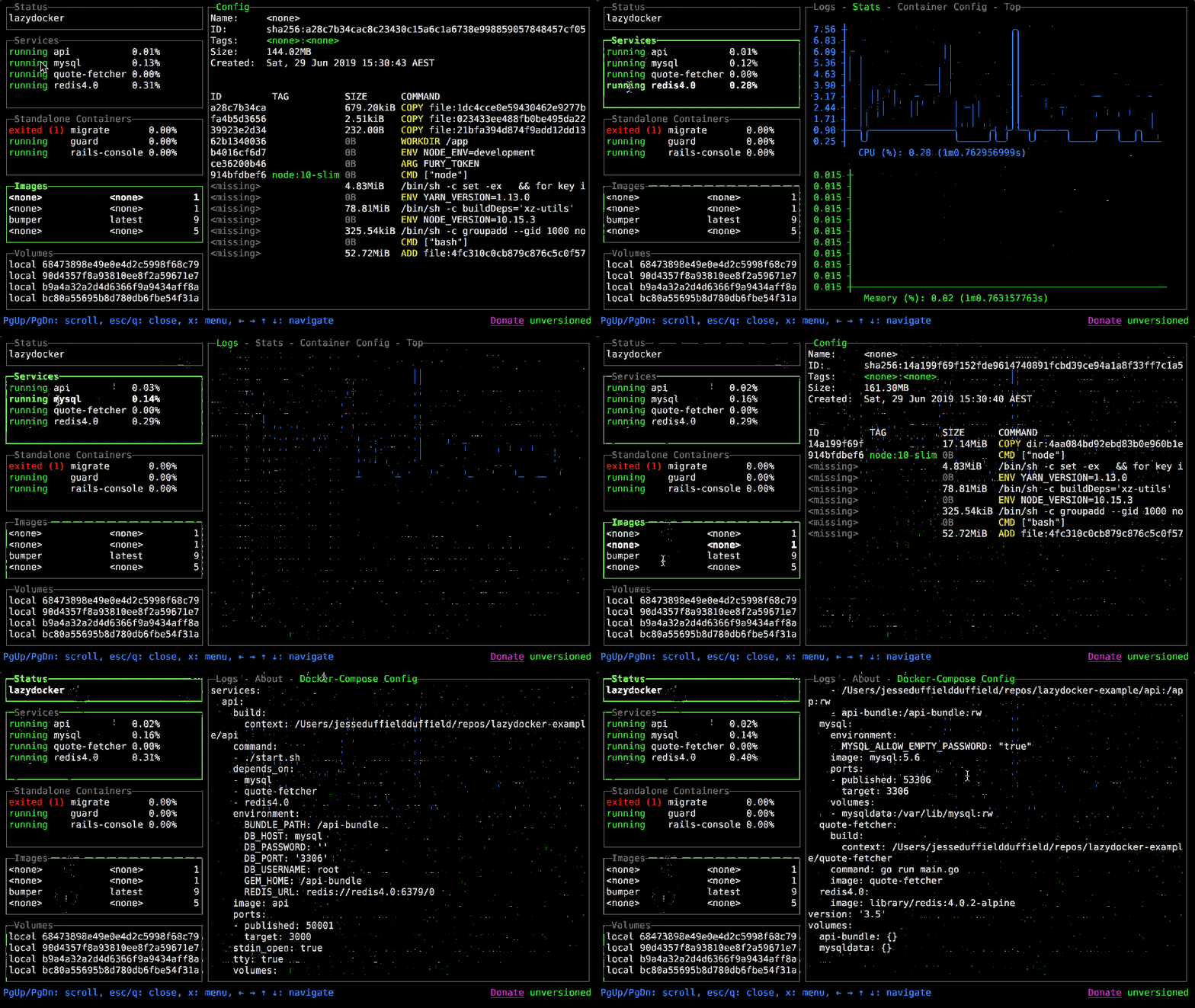
See all your containers and Compose services in one terminal window, follow their logs and resource graphs, and restart, rebuild, attach to or prune them with one key.
What you can do with it
See the state of all your containers and Docker Compose services at a glance in one terminal window.
Good to know
A terminal UI; needs access to the Docker daemon.
Present at v0.23.1
Follow the logs of a container or service without keeping a terminal open per service.
Present at v0.23.1
Watch CPU and memory graphs for a container, and graph other metrics you choose.
Present at v0.23.1
Restart, remove, rebuild or attach to a container or service with one key or a mouse click.
Present at v0.23.1
See the layers an image was built from.
Present at v0.23.1
Free disk space by pruning unused containers, images or volumes.
Present at v0.23.1
Add your own commands to run against containers, services or images.
Present at v0.23.1
Change the border style of the interface.
Since v0.23.3
Show all 10
Connect to a Docker daemon on another machine over SSH.
Good to know
Uses the Docker client's SSH support through `DOCKER_HOST`.
Since v0.24.0
Switch between several Docker Compose projects, or start lazydocker on a named one.
Since v0.25.0
Before you upgrade
Newest first
v0.25.22026-04-19
Projects and services panels now show only inside a Compose project directory; outside one, all containers appear in a flat list.
The default Compose command changed from `docker-compose` to `docker compose`; to keep v1, set `commandTemplates.dockerCompose: docker-compose` in the config.
Action requiredAffects: Systems that only have the standalone docker-compose v1 binary
See every running container in one list when you start lazydocker outside a Compose project.
Details
Outside a Compose project directory, the projects and services panels are hidden and all containers are listed; inside one, containers of other projects are no longer hidden. `-p` works again.
v0.25.2.
Behavior changed: Switch between several Docker Compose projects, or…Now works: Switch between several Docker Compose projects, or…
Switch between several Docker Compose projects from the projects panel.
Details
The projects panel lists every Compose project it finds, inferred from running containers, and you can pick one; `-p` or `--project` names the project at startup.
v0.25.0.
Added: Switch between several Docker Compose projects, or…
Jump straight to a panel with its number key, as in lazygit.
Details
Number keys jump to panels, and panel titles show their number. The Docker client was updated for Docker Engine API 1.52, and the README now lists Docker 29.0.0 or newer as the requirement.
v0.24.2; needs Docker 29.0.0 or newer per the README.
Improved: Restart, remove, rebuild or attach to a container o…Action required
Manage containers on a remote Docker host over SSH.
Details
`DOCKER_HOST=ssh://...` remote daemons now work. The default Compose command is now `docker compose` (the v2 plugin) instead of `docker-compose`.
v0.24.0.
Added: Connect to a Docker daemon on another machine over…Action required: Restart, remove, rebuild or attach to a container o…Now works: See the state of all your containers and Docker Com…
Pick the border style of the interface: rounded, single, double or hidden.
Details
New `gui.border` option (`rounded`, `single`, `double` or `hidden`). Logs now appear in the main view on startup and after returning from a subprocess.
v0.23.3 (v0.23.2 was tagged the same day).
Added: Change the border style of the interface.Now works: Follow the logs of a container or service without k…
Manage your Docker containers and Compose services from one terminal window instead of many docker commands.
Details
Starting point: a terminal UI with panels for containers, services, images and volumes, with logs, stats graphs and one-key actions, run with `lazydocker`.
Binary releases for Linux, macOS and Windows, Homebrew, Scoop, Chocolatey, or `go install`. Needs Docker 1.13 or newer; Docker Compose optional.
Added: See the state of all your containers and Docker Com…Added: Follow the logs of a container or service without k…Added: Watch CPU and memory graphs for a container, and gr…Added: Restart, remove, rebuild or attach to a container o…Added: See the layers an image was built from.Added: Free disk space by pruning unused containers, image…Added: Add your own commands to run against containers, se…