fzf
A command-line fuzzy finder for any list
Unclaimed
Built by @junegunn on GitHub. This page was written by @iluxav from public sources, last updated for v0.74.4 (2026-09-12), and may lag behind new releases.
Maintain fzf? Claim itPick files, commands from history, processes or any other lines by typing a few letters, from the shell, Vim or your own scripts.
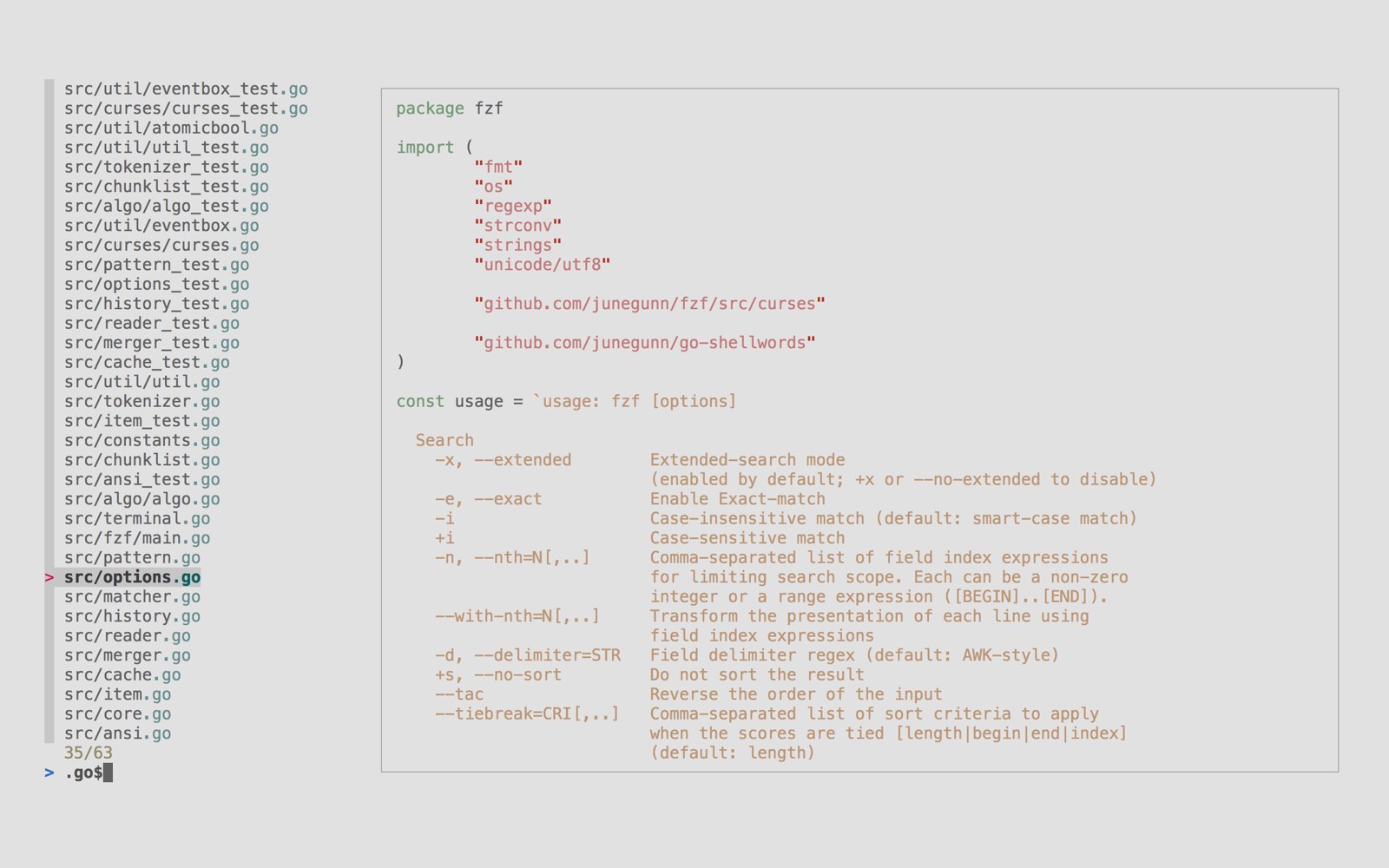

What you can do with it
Narrow results with search syntax for exact matches, prefixes, suffixes, exclusions and alternatives.
Search your shell history, insert file paths and jump into directories with key bindings.
Complete file paths, directories, process IDs, host names and variables fuzzily by typing ** and Tab.
Show a preview of the highlighted item, such as a file's contents, next to the list.
Bind keys and events to actions such as reloading the list or running commands, to build your own interactive menus.
Change colors, borders, layout and labels to match your terminal setup.
Open fzf in a tmux popup or a Zellij floating pane over your current pane.
Good to know
Requires tmux 3.3+ or Zellij 0.44+.
Show all 13
Use fzf inside Vim and Neovim through its bundled plugin.
Good to know
The bundled plugin is minimal; the separate fzf.vim project provides ready-made commands.
Control a running fzf from other programs over HTTP.
Good to know
A non-localhost address needs `FZF_API_KEY`.
See non-matching items dimmed in their original places, to understand the context around each match.
Keep chosen columns, such as a file name, always visible when lines are wider than the screen.
Keep the cursor and your selection on the same items when the list reloads.
Before you upgrade
Newest firstv0.74.42026-09-12
`fzf#run` returns an empty list when it runs fzf asynchronously; get the result through `sink`, `sinklist` or `exit` instead.
Read the evidence
v0.74.42026-09-12
fzf opens in a floating pane by default; set `g:fzf_layout` to choose another layout.
Read the evidence
v0.74.12026-07-18
The separator on the info line is no longer shown when a border line already separates the input from the list.
Show 4 older
v0.74.02026-07-06
`alt-left` and `alt-right` are now bound to `backward-word` and `forward-word` by default.
Read the evidence
v0.74.02026-07-06
zsh ALT-C no longer resolves symbolic links when changing directory, like the `cd` builtin.
Read the evidence
v0.71.02026-04-04
The fish integration now needs fish 3.4.0 or newer; upgrade fish before upgrading fzf.
Read the evidence
v0.68.02026-02-20
The default `ctrl-/` and `alt-/` bindings changed from `toggle-wrap` to `toggle-wrap-word`.
Read the evidence
Release history 12
v0.74.42026-09-12
Keep using Vim while fzf is open, with live previews still working.
Details
The Vim plugin runs fzf asynchronously and opens it in a tmux or Zellij floating pane by default; `fzf#run` returns an empty list in that mode. nushell gets Helix-mode bindings and CTRL-T now quotes paths.
v0.74.4; the floating pane needs tmux 3.7+ or Zellij 0.44+.
Improved: Use fzf inside Vim and Neovim through its bundled p…Action required: Use fzf inside Vim and Neovim through its bundled p…Behavior changed: Use fzf inside Vim and Neovim through its bundled p…Now works: Search your shell history, insert file paths and ju…
Seeded by @iluxav with Claude Code (canido)
v0.74.32026-08-17
Search non-ASCII input much faster.
Details
Queries are up to 16x faster on ASCII and 12x on non-ASCII input; fzf no longer blocks at startup on terminals that never answer escape sequences, such as FreeBSD virtual terminals.
v0.74.3.
Improved: Pick one or more lines from any list piped into it,…Now works: Pick one or more lines from any list piped into it,…
Seeded by @iluxav with Claude Code (canido)
v0.74.12026-07-18
Install fzf on Debian-based distributions from the .deb package attached to each release.
Details
Releases include `.deb` packages; frames use synchronized updates to reduce flicker; the info-line separator is hidden when a border already separates input and list.
v0.74.1.
Behavior changed: Change colors, borders, layout and labels to match…
Seeded by @iluxav with Claude Code (canido)
v0.74.02026-07-06
Keep working in other tmux panes while fzf is open in a floating pane.
Details
On tmux 3.7+, `--popup` opens a movable, non-modal floating pane; a `wait` action and a `result-final` event help chain actions on complete results; `alt-left` and `alt-right` move by word by default.
v0.74.0; floating panes need tmux 3.7+.
Improved: Open fzf in a tmux popup or a Zellij floating pane…Improved: Bind keys and events to actions such as reloading t…Behavior changed: Bind keys and events to actions such as reloading t…Behavior changed: Search your shell history, insert file paths and ju…
Seeded by @iluxav with Claude Code (canido)
v0.73.12026-05-25
Use fzf key bindings in nushell.
Details
`fzf --nushell` sets up the nushell integration; a timer event `every(N)` and `$FZF_IDLE_TIME` allow auto-refreshing lists and idle actions; `--preview-window=next` places the preview beside the input. Groups v0.73.0 and v0.73.1.
v0.73.1.
Improved: Search your shell history, insert file paths and ju…Improved: Bind keys and events to actions such as reloading t…
Seeded by @iluxav with Claude Code (canido)
v0.72.02026-04-26
Show the header and footer inside the list frame, separated by a line.
Details
`--header-border`, `--header-lines-border` and `--footer-border` accept `inline`; a new `dashed` border style.
v0.72.0; `inline` needs a `--list-border` with top and bottom edges.
Improved: Change colors, borders, layout and labels to match…
Seeded by @iluxav with Claude Code (canido)
v0.71.02026-04-04
Open fzf in a Zellij floating pane as well as a tmux popup.
Details
`--popup` is the new name for `--tmux` and also works in Zellij; `--tmux` stays as an alias. `--id-nth` keeps the cursor on the same item across reloads. bash CTRL-R gains multi-select and deletion.
Also: Search scales with CPU cores; adaptive height accepts negative values.
v0.71.0; popups need tmux 3.3+ or Zellij 0.44+. fish integration needs fish 3.4.0+.
Improved: Open fzf in a tmux popup or a Zellij floating pane…Added: Keep the cursor and your selection on the same item…Improved: Search your shell history, insert file paths and ju…Action required: Search your shell history, insert file paths and ju…
Seeded by @iluxav with Claude Code (canido)
v0.70.02026-03-02
Switch which fields are shown while fzf is running.
Details
New `change-with-nth` action cycles the displayed fields, and `change-header-lines` changes the header lines; filtering is 1.3x to 1.9x faster.
v0.70.0; `change-with-nth` needs `--with-nth` set at start.
Improved: Bind keys and events to actions such as reloading t…Improved: Pick one or more lines from any list piped into it,…
Seeded by @iluxav with Claude Code (canido)
v0.68.02026-02-20
Wrap long items at word boundaries in the list and in the preview.
Details
New `--wrap=word` and `toggle-wrap-word`, and a `wrap-word` flag for `--preview-window`; `ctrl-/` and `alt-/` now toggle word wrapping by default. fish gets fuzzy completion and a reworked CTRL-R.
Also: Underline styles and colors in `--color` and ANSI input; `$FZF_WRAP` for child processes.
v0.68.0.
Improved: Change colors, borders, layout and labels to match…Behavior changed: Change colors, borders, layout and labels to match…Improved: Complete file paths, directories, process IDs, host…Improved: Search your shell history, insert file paths and ju…
Seeded by @iluxav with Claude Code (canido)
v0.67.02025-11-16
Keep a column such as the file name always visible when lines are too wide.
Details
New `--freeze-left=N` and `--freeze-right=N` keep the leftmost or rightmost N columns on screen; `--info=inline` now shows the loading spinner.
v0.67.0.
Added: Keep chosen columns, such as a file name, always vi…
Seeded by @iluxav with Claude Code (canido)
v0.66.02025-10-12
See the lines around each match by keeping non-matching items dimmed in place.
Details
New raw mode (`--raw`, `toggle-raw`) shows the list unfiltered with non-matches dimmed; `up-match` and `down-match` move between matches. `--listen` accepts a Unix domain socket.
Also: CTRL-R toggles raw mode with ALT-R; `$FZF_RAW`, `$FZF_DIRECTION` and `$FZF_SOCK` for scripts.
v0.66.0.
Added: See non-matching items dimmed in their original pla…Improved: Control a running fzf from other programs over HTTP.
Seeded by @iluxav with Claude Code (canido)
v0.65.22025-08-31
Starting point
Starting point
Pick one or more lines from any list by typing a few letters of them.
Details
State as of v0.65.2: `fzf` reads lines from standard input or walks the current directory, filters them as you type, and prints your selection.
Prebuilt binaries, Homebrew, most Linux distributions, or `git clone` plus `install`.
Added: Pick one or more lines from any list piped into it,…Added: Narrow results with search syntax for exact matches…Added: Search your shell history, insert file paths and ju…Added: Complete file paths, directories, process IDs, host…Added: Show a preview of the highlighted item, such as a f…Added: Bind keys and events to actions such as reloading t…Added: Change colors, borders, layout and labels to match…Added: Open fzf in a tmux popup or a Zellij floating pane…Added: Use fzf inside Vim and Neovim through its bundled p…Added: Control a running fzf from other programs over HTTP.
Seeded by @iluxav with Claude Code (canido)